Manage Company Machine Templates
Quick Demo · 0:09
00:09Manage Company Machine Templates
Chapters
Searchable Transcript (2 steps)
- 00:01Click Add Machine Template, enter the template name and description, and submit.
- 00:06Open any template card to standardize reusable Components and Expected Tags across plants.
What Are Machine Templates?
A Machine Template is a standardized blueprint describing a recurring piece of industrial equipment (such as a Vertical Roller Mill, Induced Draft Fan, or Centrifugal Slurry Pump). Instead of rebuilding machine definitions from scratch on every production unit, a Machine Template predefines:
- Components: Sub-assemblies of the machine (for example: Main Gearbox, Drive Motor, Lubrication Unit).
- Expected Tags & Units: Standard signal definitions (for example: Motor Current [A], Bearing Vibration [mm/s], Winding Temperature [°C]).
- Recommended Operating Context: Consistent naming, technical descriptions, and downtime integration rules.
Managing templates at the Company level allows plants with template inheritance enabled to instantiate machines using identical corporate engineering models.
Step 1: Open Company Machine Templates
- Go to Configuration -> Companies.
- Open Manage -> Machine Templates on the target company card.
- Browse existing cards by name or category to avoid creating duplicate equipment blueprints.
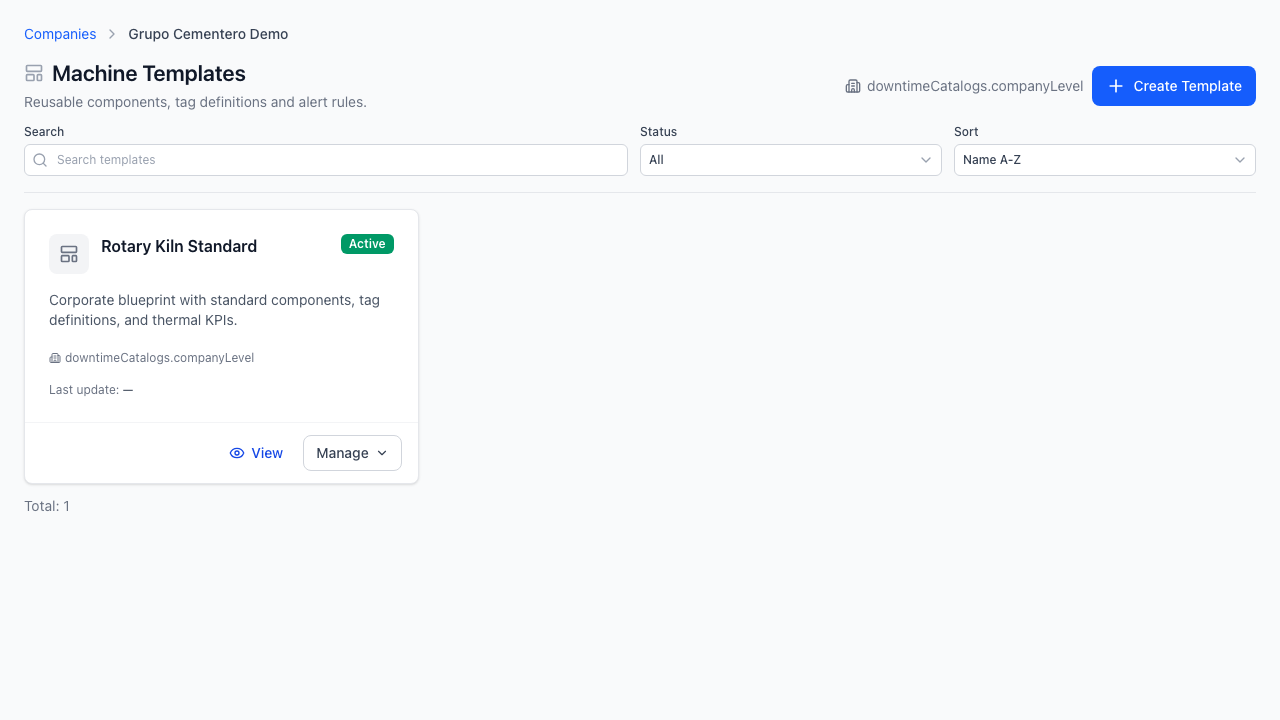
Step 2: Create a Machine Template
- Click Add Machine Template in the top-right header.
- Fill in the template Name (required, e.g.,
Vertical Roller Mill V4), Category / Type, and an engineering Description. - Submit the modal to create the template card.
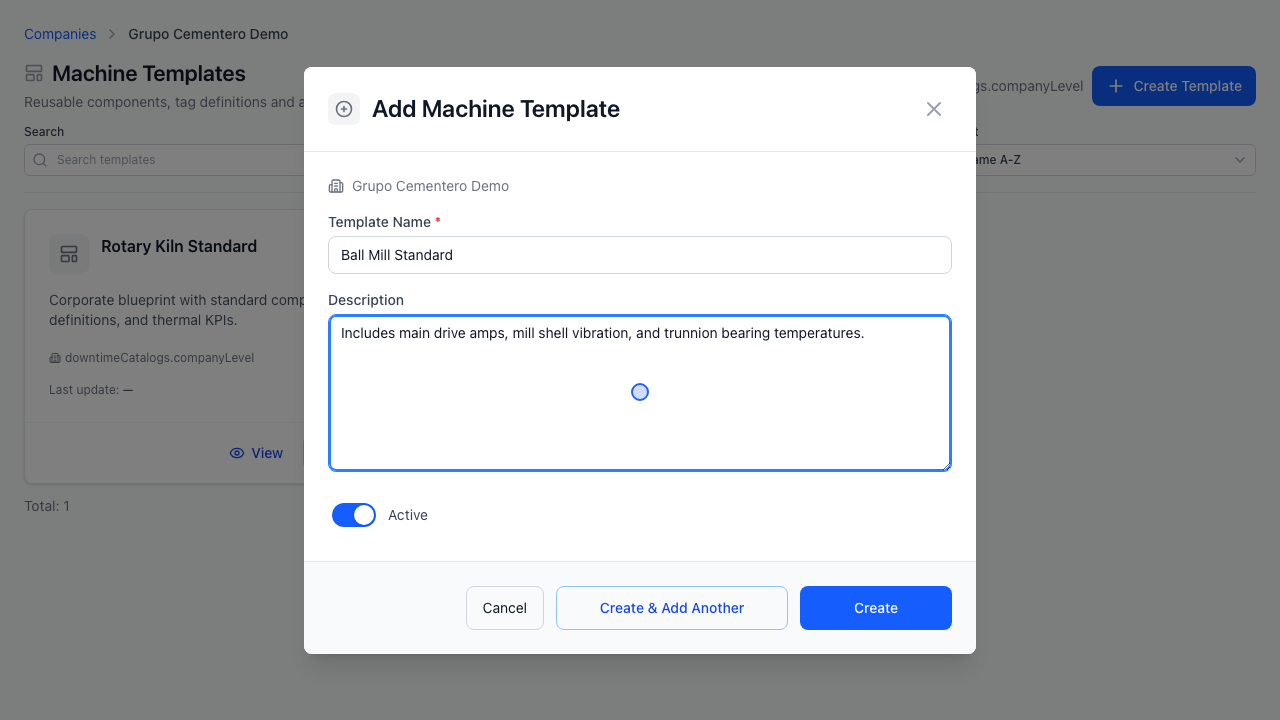
Step 3: Configure Components & Expected Tags
- Click the newly created template card to open its Template Detail workspace.
- Define standard Components (sub-equipment assemblies) and add Expected Tags with engineering units and descriptions.
- Save changes—any plant inheriting Company Machine Templates can now select this blueprint when commissioning machines.
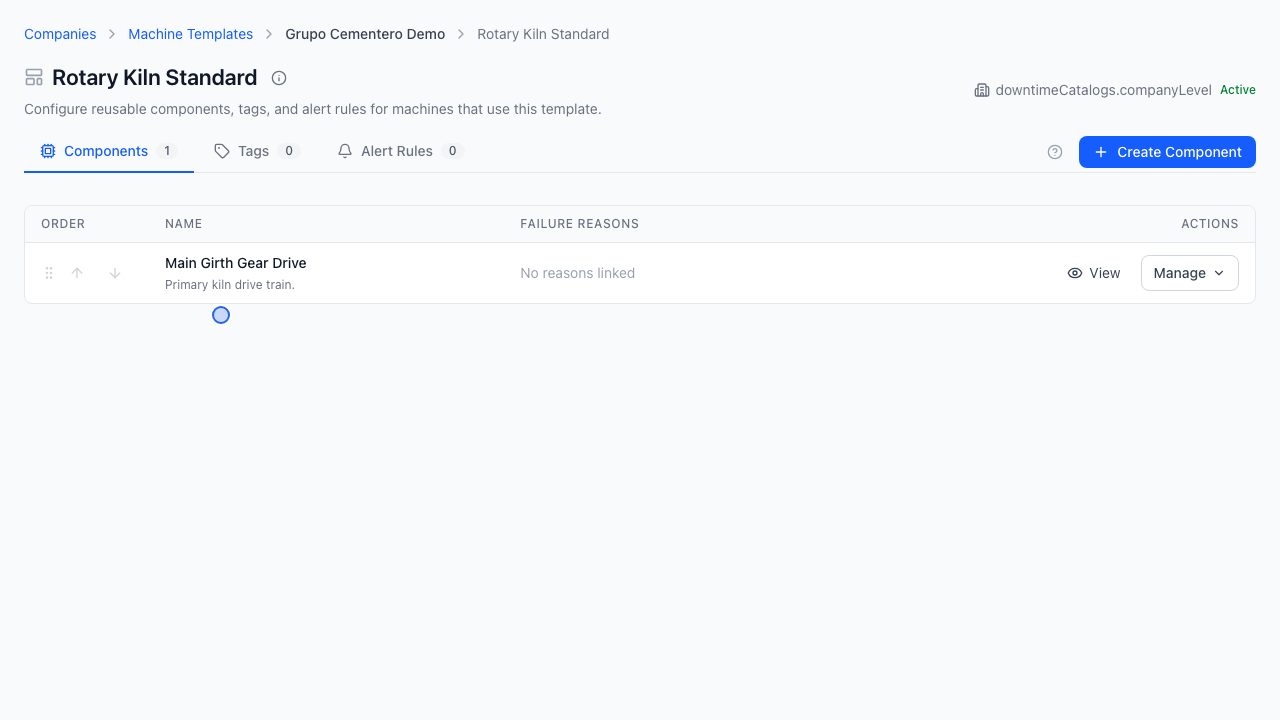
Editing & Deletion Notes
- From a template card or detail header, authorized users can update template metadata, edit components/expected tags, or delete an unused template.
- Prerequisite for Plant Inheritance: At the Plant level, inheriting Company Machine Templates requires Company Downtime Catalog inheritance to be enabled as well.